
Jika pembeli telah berhasil melakukan pembayaran, Anda dapat melakukan pengecekan pesanan masuk di Findit melalui beberapa cara berikut:
Metode 1: Periksa Email Anda
Silakan periksa kotak masuk email Anda untuk pesan baru dari Findit.id. Email tersebut biasanya berisi detail informasi pesanan yang masuk.
Catatan penting: Pastikan alamat email yang terdaftar di halaman profil akun Findit Anda sudah benar dan masih aktif.
Metode 2: Periksa Notifikasi Akun melalui Website
- Masuk ke akun Anda melalui website https://findit.id/id
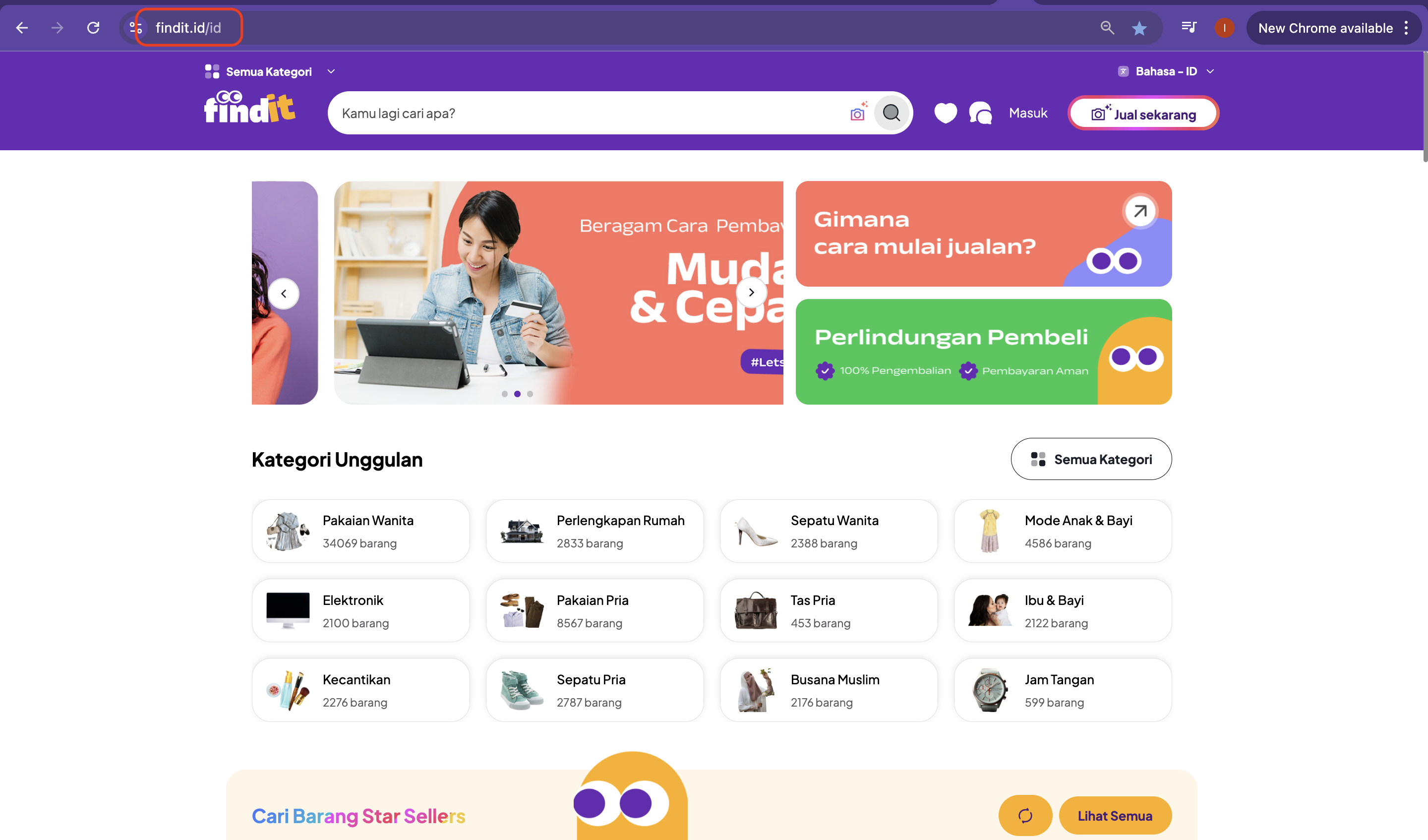
2. Klik ikon Obrolan yang berada di bagian atas halaman, di antara ikon Favorit dan Profil.

3. Pilih menu Notifikasi.
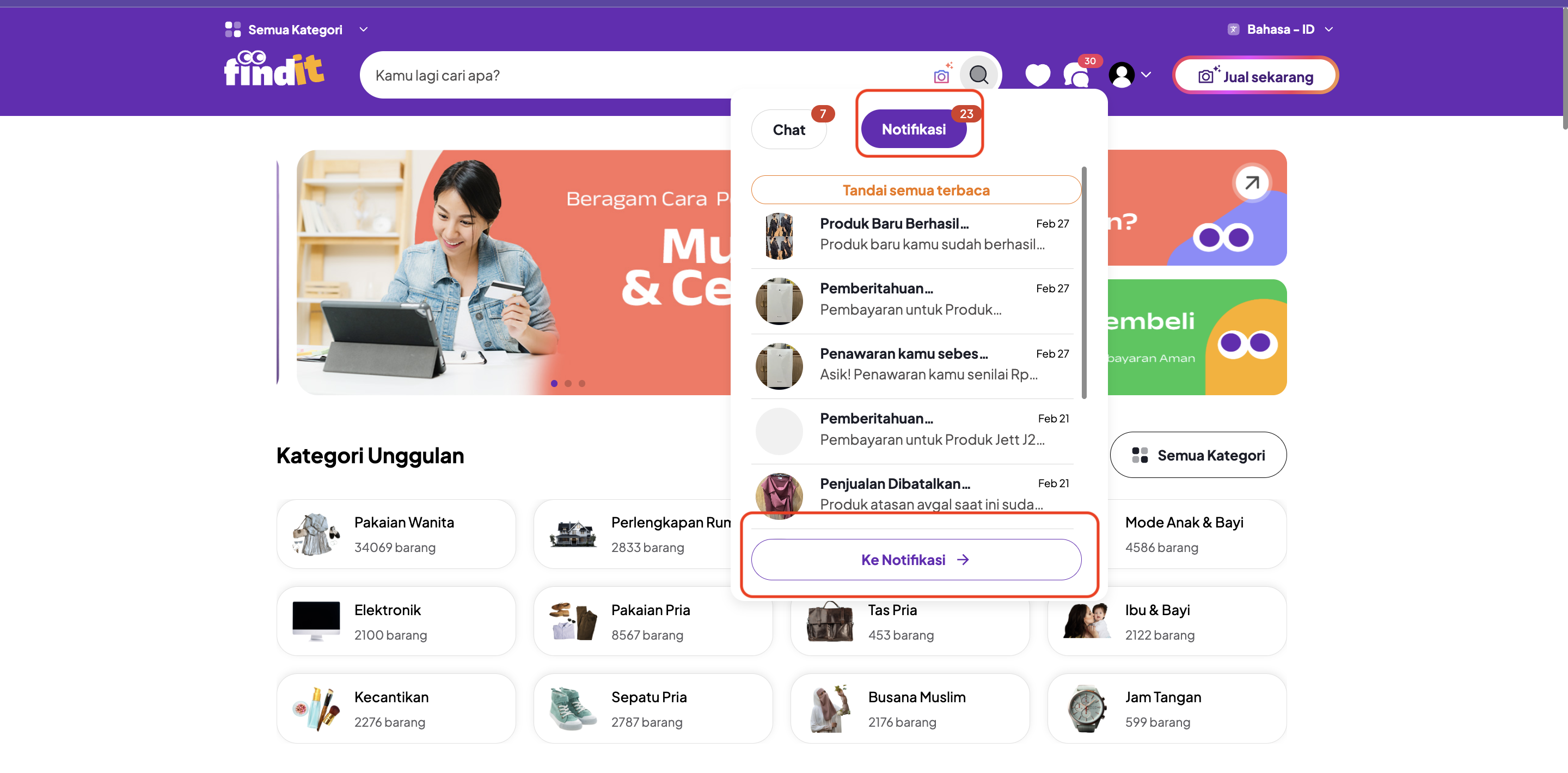
4. Klik Ke Notifikasi.
5. Pada halaman Notifikasi, periksa tab Baru dan Sudah Dibaca untuk melihat informasi pesanan yang masuk.
Metode 3: Periksa Notifikasi Akun melalui Aplikasi
- Unduh aplikasi Findit melalui Google Play Store.
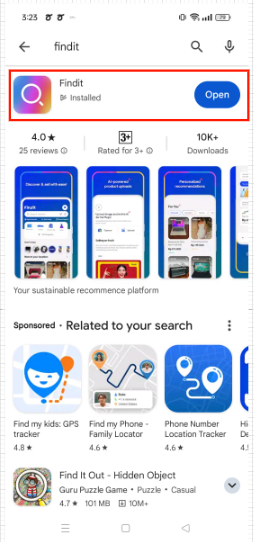
2. Buka aplikasi Findit dan masuk ke akun Anda.
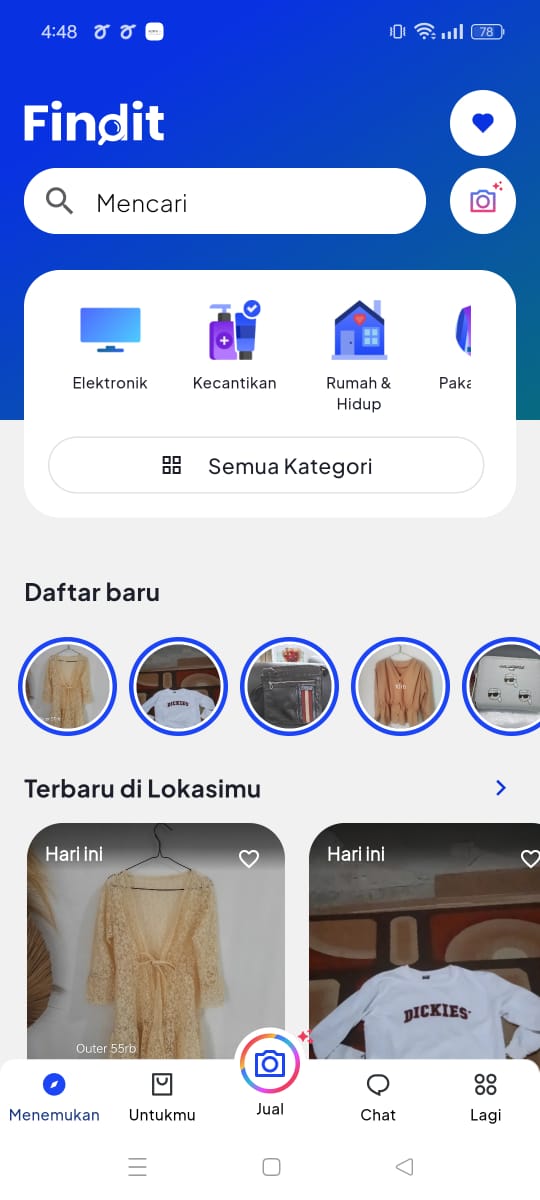
3. Klik menu Chat yang berada di bagian bawah layar.
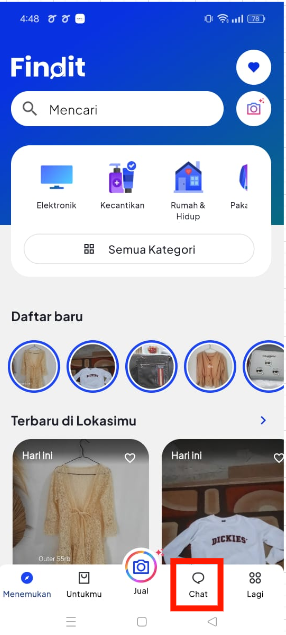
4. Pilih menu Notifikasi untuk melihat notifikasi terbaru terkait produk yang telah terjual.
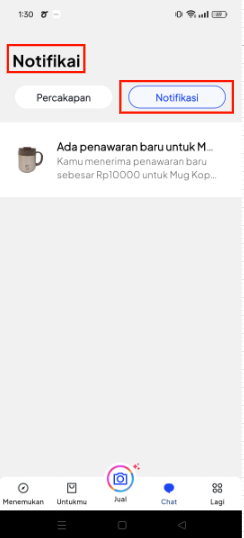
Butuh Bantuan Lebih Lanjut?
Tenang, kami siap membantu Anda. Silakan hubungi tim Customer Care Findit melalui:
- Email: care@findit.id
- WhatsApp: +62 811-9001-3750
How to Check Incoming Orders on Findit
If the buyer has successfully completed the payment, you can check the incoming order through the following methods. There are three ways to check incoming orders on Findit:
Method 1: Check Your Email
Please check your email inbox for a new message from Findit.id. This email usually contains details of your order.
Important note: Make sure the email address registered in your Findit account profile is correct and active.
Method 2: Check Account Notifications via Website
- Log in to your account on the website https://findit.id/id
2. Click the Chat icon located at the top of the page, between the Favorites and Profile icons.
3. Select Notifications from the menu.
4. Click Go to Notifications.
5. In the Notifications section, check the New and Read tabs to see information about incoming orders.
Method 3: Check Account Notifications via Mobile App
- Download the Findit app from the Google Play Store.
2. Open the Findit app and log in to your account.
3. Tap the Chat menu at the bottom of the screen.
4. Select Notifications to view the latest notifications for sold products.
Need Further Assistance?
No worries! We’re here to help you. You can contact the Findit Customer Care team through the following channels:
- Email: care@findit.id
- WhatsApp: +62 811-9001-3750
